Explore checkers, demos and evaluation routes →
Summarize this page with
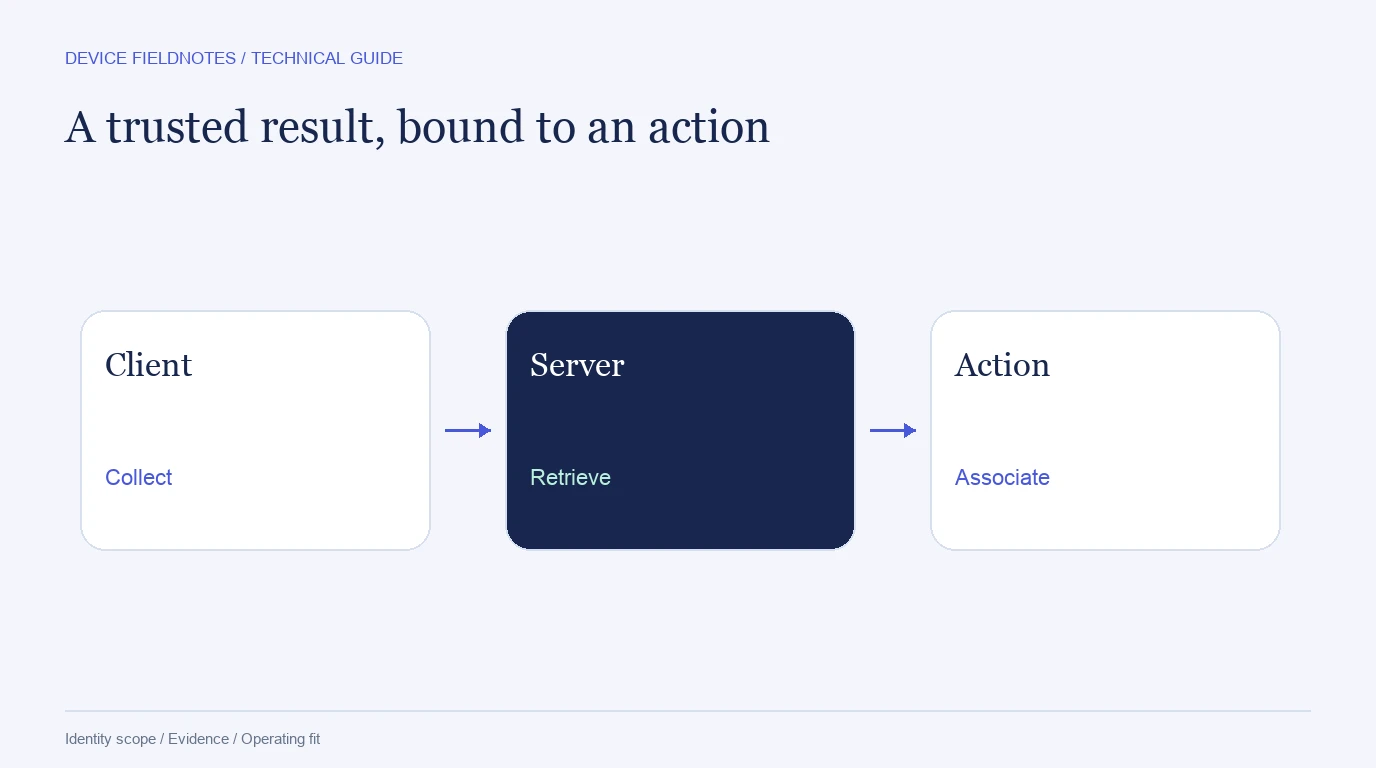
A reliable device fingerprinting integration connects collection on the client to trusted results on the server and the account action being protected. Plan that entire sequence before adding a script. A device ID copied from a browser request is not sufficient evidence that the browser completed a valid assessment for the action.
- 1Collect the visit
- 2Retrieve trusted results
- 3Bind the action
Put collection at the decision points
Common checkpoints include signup, login, account recovery, benefit activation and checkout. Collect early enough that the result is available before the protected action. Avoid tying every page view to a billable identification when the business only needs a smaller set of assessed events.
If the browser can navigate between routes without a full reload, verify when the SDK initializes and when an identification is performed. A snippet loading once and a new action being assessed are different lifecycle events. Measure both readiness and successful result delivery.
Retrieve the result through the supported trusted flow
Keep private API credentials on the server. A public collection key is not a secret server token. If the product returns a request or event reference, use the documented server lookup or signed webhook to retrieve the trusted result. Then bind it to the internal account event.
ShieldLabs documentation describes its supported SDK, API and webhook integration. Fingerprint's Server API documents another product's event retrieval. Use the vendor-specific contract rather than inventing a universal endpoint.
{
  "action_id": "signup-example-0042",
  "action": "signup",
  "occurred_at": "2026-10-23T10:30:00Z",
  "account_reference": "internal-test-account",
  "assessment_reference": "provider-event-reference",
  "assessment_status": "available",
  "evidence_reference": "stored-original-response"
}
This is an illustrative application record, not a vendor response schema. Add the provider's device and visitor references as separate fields after trusted retrieval. Preserve the returned field names and product version in the underlying evidence so the mapping can be inspected later.
Link accounts without collapsing them
Supply the authenticated account reference through the vendor's supported mechanism. Keep application user identity, Device ID and session reference distinct. A device can be associated with multiple accounts without proving that the accounts belong to one person, while one account can legitimately appear on several devices.
ShieldLabs provides ready-made Multi-accounting, Account sharing, Impossible travel and Account takeover findings alongside risk and linked identities. Integrate those returned findings through the documented flow instead of replacing them with a crude count of IP addresses. The ShieldLabs review explains that product scope.
Define failure behavior before enabling restrictions
| Condition | Record | Test |
|---|---|---|
| Collection blocked | Missing collection and affected route/browser | Legitimate customer can follow the intended fallback |
| Provider timeout | Time budget, error and late result | No duplicate business action when the result arrives later |
| Invalid credentials | Authentication failure | Operations receives a useful alert without exposing the secret |
| Quota exhausted | Documented limit response | Missing evidence is not converted into a trusted verdict |
| Duplicate webhook | Provider event and internal action IDs | Idempotent processing and one durable decision record |
| Mismatched account reference | Current authenticated identity | Evidence cannot be attached to another user's action |
An explicit fallback depends on the protected action. Reading a help page and withdrawing funds have different consequences. Choose a fallback that fits the application rather than inheriting whatever happens when an HTTP request throws an exception.
Keep an evidence record for review
Store the original result used for the action, its collection/retrieval times and the application's response. Add later confirmed outcomes separately. A later fresh lookup cannot reliably reconstruct what was observed at the original event.
Use retention and access appropriate to the application. Avoid storing secrets, raw payment details or unrelated form content in a device record. A useful engineering handoff lists the minimum fields, their owners and the event that populates each one. Reviewers should be able to connect a protected action with its evidence without searching several incompatible identifiers.
Validate the integration end to end
Test a known returning device, a known different device, missing collection and a retry. Confirm the server result is bound to the correct action before interpreting risk. Then add cookie resets, authorized proxy changes and shared hardware from the persistence matrix.
Measure the workload from the actual integration: how many events trigger collection, how often retrieval is repeated and which calls count toward the plan. Compare that with the cost guide. A low price per call does not help if the integration unintentionally identifies on every render.
FAQ
Can the browser send its own device ID to my backend?
It can send a reference as part of the supported flow, but the backend should retrieve or validate the assessment through the vendor's documented trusted mechanism before acting on it.
Should I store the risk result or only the ID?
Store the evidence needed to reconstruct the action, including the original result and its time. Identity, risk and the application's response are different parts of the record.
What should happen on an SDK timeout?
Record unavailable evidence and use the explicit fallback defined for that action. Test late results and retries so they cannot duplicate or silently change the business operation.
Sources
Sources reviewed October 23, 2026.
Continue reading
- How device fingerprinting works: attributes, identity and risk
- Measure device fingerprint accuracy: recall, collisions and drift
- Device fingerprinting cost: free tools, API plans and total ownership
Compare all eleven tools or read the complete deployment guide.